What Tome Robot actually captures when you click: a semantic metadata deep dive
Maintaining accurate operational guides demands more than just screen recordings; it requires understanding the underlying UI. This article delves into the technical depth of what truly constitutes a "click" for robust documentation.
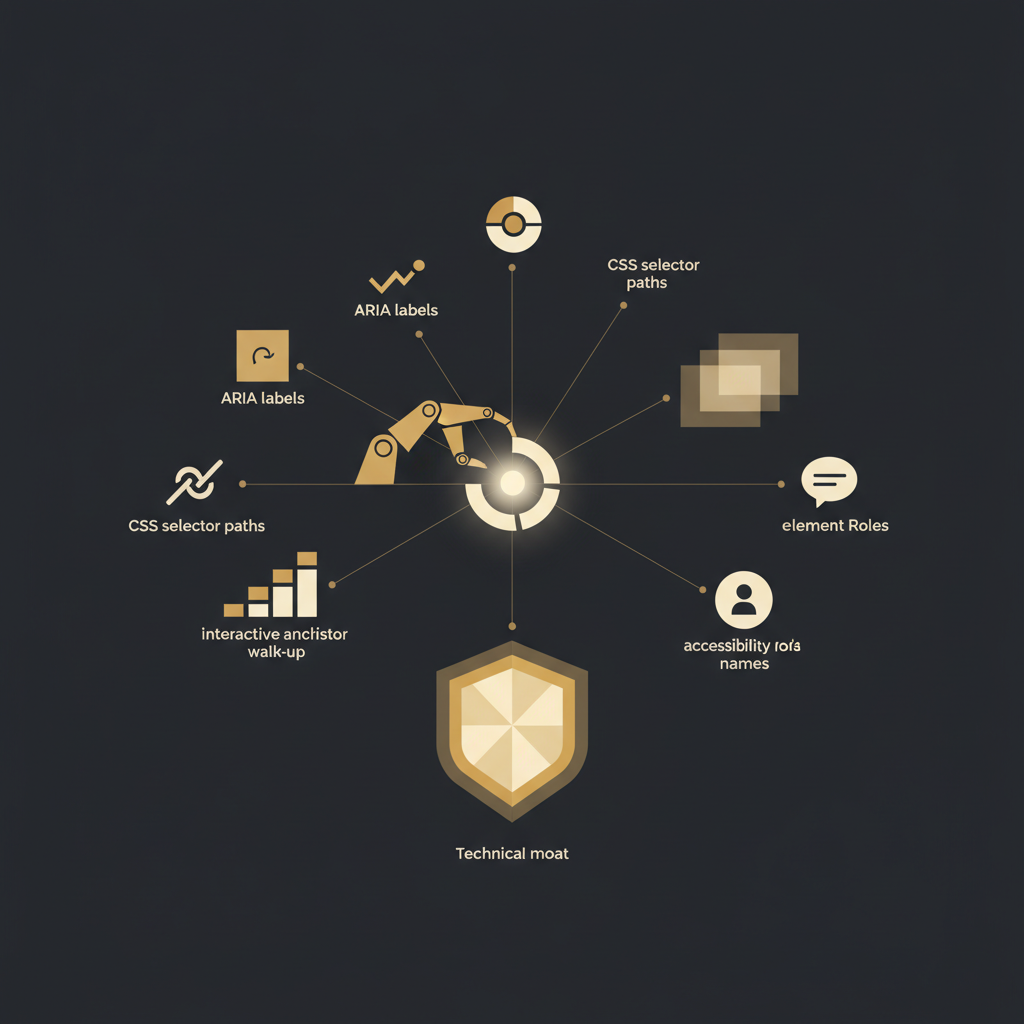
The operational efficacy of any organization hinges on the reliability of its internal documentation. Yet, the persistent challenge remains: how does one capture the ephemeral nature of a user interface interaction in a way that remains accurate and useful over time? Most solutions record visual evidence, perhaps augmented by basic location data. This approach is inherently brittle, leading to the rapid decay of knowledge bases. A click, fundamentally, is more than a coordinate pair or a simple image. It is an interaction with a specific semantic target within a dynamic document object model (DOM). Understanding this distinction is critical for any system purporting to automate documentation.
The Semantic Imperative: Beyond Pixels and Simple Selectors
Knowledge base articles that merely present screenshots annotated with "Click here" (often a static X/Y coordinate or a short-lived CSS path) are destined for obsolescence. A UI element's position on a screen is transient; its visual appearance can shift with screen resolution, browser zoom, or minor layout adjustments. Even a seemingly stable CSS selector, like div.container > button.primary, can break when a development team refactors the HTML structure, introduces an intermediary wrapper div, or renames a class. These are common occurrences in any actively developed application.
The core problem is a failure to capture intent. When a user clicks a "Submit" button, they intend to initiate a submission, not to interact with pixel (100, 250) or the third button within a specific container. The semantic meaning of that button – its role, its label, its purpose – is what grants it resilience against superficial UI changes. Systems that do not record this deeper layer of context are fundamentally incapable of self-healing or intelligent change detection. They are essentially blind to the underlying structure, treating every interaction as a purely visual event. This leads directly to the chronic problem of outdated documentation and the significant operational overhead of manual updates.
Deconstructing the Click: Layers of DOM-Level Context
To address the brittleness of traditional recording methods, a sophisticated system must capture a comprehensive array of data points for every user interaction. This prioritizes semantic identifiers over purely visual or positional ones. When a user clicks, a robust mechanism synthesizes information from several distinct DOM-level layers:
- Resilient CSS Selector Paths: Beyond simple selectors, systems build multiple, weighted paths, prioritizing stable attributes like
idordata-*. This layered approach, including fallbacks, significantly improves robustness over a single, fragile selector. - Element Role and Type: Identifying an element's type (e.g.,
button,input,a) is crucial. This informs the expected interaction (action vs. toggle) and provides foundational structural understanding. - Accessibility Name and ARIA Labels: The most critical semantic identifier. Derived from
aria-label,aria-labelledby,title, or visible text, this provides a stable, user-centric reference for the element's purpose, even if visual text changes. - Inner Text and Value Attributes: Capturing the visible text content or
valueattribute for interactive elements like buttons, links, or input fields offers direct textual context and semantic understanding. - Bounding Box and Viewport Position: While not primary,
getBoundingClientRect()and scroll position data are vital for visual context, screenshot generation, precise highlighting, and determining element visibility. - Interactive Ancestor Walk-up: Crucial for modern web apps using event delegation. The system traces the DOM from the click target to identify the nearest interactive ancestor that actually handles the event, preventing misinterpretation in nested UI.
- Relevant Attributes Snapshot: Capturing specific attributes (e.g.,
id,name,href,data-test-id) provides additional context. These are often more stable than class names and offer hooks for testing and automation.
By combining these data points, a click transforms from a simple coordinate into a rich, multi-dimensional semantic event. This comprehensive capture is the bedrock of resilient documentation.
The Technical Moat: Resilience, Redaction, and Automated Updates
The depth of DOM-level context captured per click isn't an academic exercise; it directly underpins the practical advantages of a truly intelligent documentation platform. This technical approach creates a significant distinction from simpler systems.
- Robust UI Change Detection: When an underlying application's UI changes, a system armed with rich semantic metadata detects these changes with precision. If an
aria-labelor uniqueidof a target element remains, but its CSS selector path shifts, the system attempts to re-locate it using more stable identifiers. If all semantic identifiers change, or a critical ancestor disappears, the system confidently flags the step as potentially broken, rather than guessing based on pixel differences or failing silently. This capability drastically reduces manual effort in maintaining guides. - Intelligent PII Redaction: Understanding an element's
roleandtype(e.g., an<input type="text">or<textarea>) allows for sophisticated, accurate PII (Personally Identifiable Information) redaction. Rather than relying solely on visual pattern matching (prone to error) or blanket-redacting large areas, the system identifies data entry fields and applies redaction rules to their content or visual representation. This precision minimizes false positives and ensures sensitive data is handled appropriately without obscuring relevant UI. - Precise, Actionable Narratives: Rich metadata translates directly into clearer, more precise automated article generation. Instead of generic instructions like "Click the button at the bottom," the system generates "Click the 'Submit Order' button," or "Select 'Yes' from the 'Confirmation' radio group." This level of detail, derived from accessibility names and roles, makes generated articles immediately actionable and reduces end-user ambiguity.
- Cross-Environment Consistency: Because semantic identifiers are less tied to visual presentation, documentation generated this way is inherently more resilient across different screen resolutions, browser types, and UI theme variations. An element identified by
aria-label="Save Changes"remains identifiable regardless of rendering environment or minor visual shifts.
The efficacy of any operational knowledge base is directly proportional to its resilience against UI change. Relying on superficial data points creates a perpetual cycle of decay and manual intervention. By meticulously capturing and interpreting the semantic metadata of every user interaction, Tome Robot constructs documentation that understands the underlying application, adapts to its evolution, and remains consistently reliable for teams. This shift from recording pixels to understanding intent is not merely an improvement; it is a fundamental re-architecture of automated documentation.
Stop writing docs nobody reads.
Record them instead.
Install the extension, walk through the tool you're tired of explaining. Tome Robot does the rest.