Organize your KB: collections, trees, and hierarchical navigation
A good knowledge base is navigable, not just searchable. Learn how organizing your articles into logical collections, nested trees, and leveraging breadcrumb navigation transforms a chaotic repository into an efficient, browsable resource for your team.
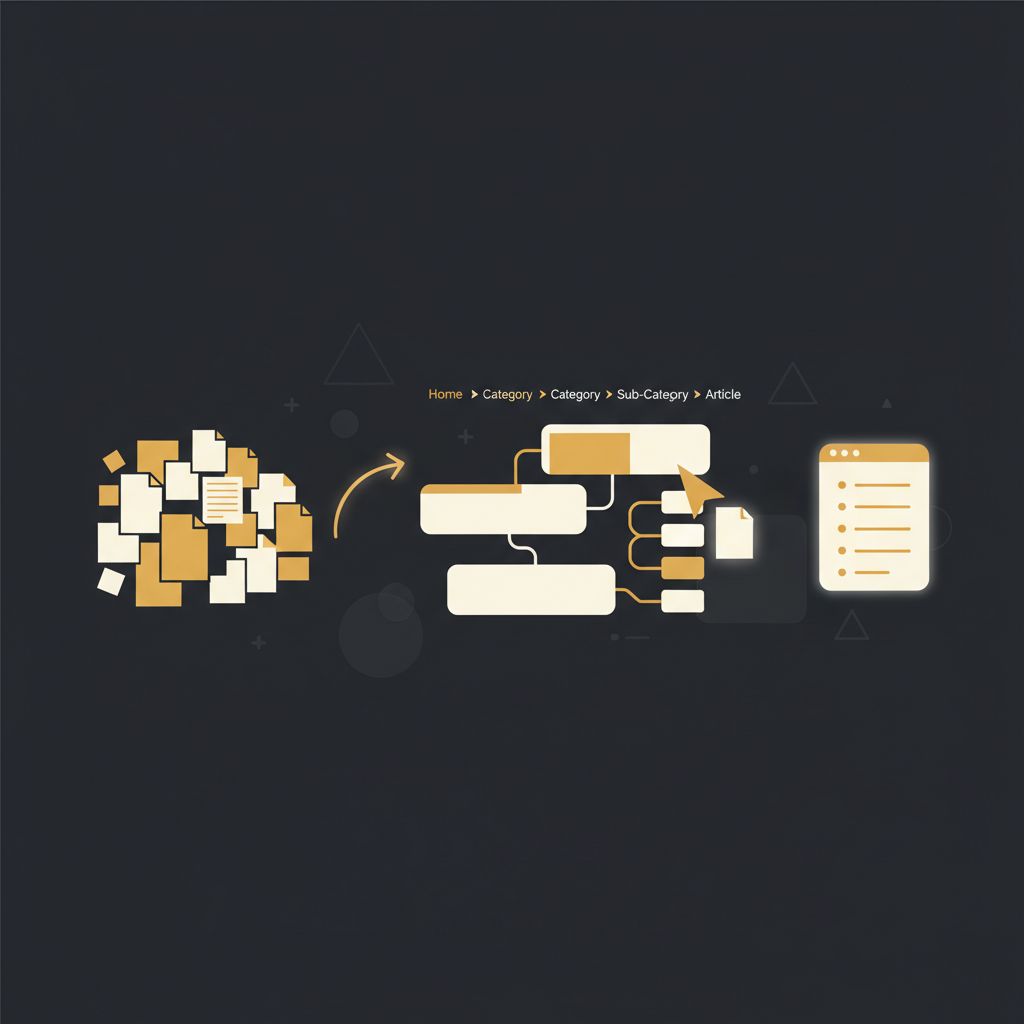
A knowledge base primarily reliant on search functionality, while seemingly convenient, often falls short of operational requirements. A collection of articles, no matter how comprehensive, remains an unstructured compilation. For teams in operations, customer support, or engineering, finding specific information quickly is only part of the challenge. Understanding broader context, discovering related processes, and navigating complex workflows demands a structured approach, not merely a search bar. This necessitates moving beyond a flat list of documents to an organized, browsable information architecture.
The Insufficiency of Search-First Knowledge Bases
Relying solely on a search engine introduces problems. Users must know precise keywords used by content creators. Misspellings or variations in terminology lead to failed searches. A support agent searching "login error" might miss "Authentication Troubleshooting." This guessing wastes time and escalates issues.
Second, search offers little context. An article found via search shows specific information, but not its place in a larger workflow. A new employee searching "invoice approval" won't see preceding (vendor onboarding) or subsequent (payment processing) steps. This fragmented view hinders learning and causes errors.
Finally, search-only architecture complicates maintenance. Without explicit structure, identifying content gaps or auditing becomes a manual, subjective exercise. Administrators cannot quickly scan a hierarchy to ensure process documentation. This results in stale content, conflicting information, and eroded trust.
Establishing Order: Collections and Hierarchical Grouping
Moving beyond a chaotic knowledge repository requires imposing logical structure, starting with "collections" – broad, top-level categories for related articles and sub-collections. For support, collections might be "Account Management" or "Troubleshooting Guides." For engineering, "System Architecture" or "Deployment Procedures."
Within collections, a hierarchical tree provides depth. Articles and sub-collections are nested, reflecting real-world relationships, not just a flat list. For example, "Account Management" could contain "User Permissions" (with articles like "Adding a New User") and "Security Policies." This tree is a functional blueprint, guiding users logically.
Hierarchical grouping reduces cognitive load, presenting information in manageable chunks for easy drill-down. It surfaces related content; an agent consulting "Password Reset" can easily find "Account Lockout Policy." For creators, this structure provides a clear framework for content placement and auditing. It transforms scattered data into a navigable information ecosystem.
Practical Implementation: The Collection Tree Editor and Nested Articles
Implementing a robust hierarchy requires tools simplifying content organization. A collection tree editor, a visual interface, typically presents collections and articles in a collapsible tree view, like a file explorer.
Within this editor, drag-and-drop reordering is imperative. As processes or features evolve, KB structure must adapt. Deprecated feature articles might move to "Archived," or new flows require section restructuring. Dragging articles or sub-collections, with instant reflection, significantly reduces administrative overhead, unlike systems requiring manual linking or metadata updates.
Furthermore, nested article structure means articles are intrinsic to the hierarchy. "Setting up Single Sign-On" might belong under a "Security" collection, within "IT Procedures." Its position defines context and accessibility. Nesting 3-5 levels deep offers granularity without complexity. Deeper nesting often causes "click fatigue." The goal is clarity, not a labyrinth.
Guiding the User: The Indispensable Role of Breadcrumb Navigation
Even with a structured hierarchy, users need clear cues. Breadcrumb navigation is indispensable. Breadcrumbs display the user's current location within the hierarchy, typically as a horizontal list of links (e.g., "Home > Onboarding > Payment Methods").
Breadcrumbs offer multifaceted utility. Primarily, they provide immediate contextual awareness. A user landing on an article understands its position within the KB. This clarity, removing ambiguity between general overview or specific detail, reduces frustration and increases confidence.
Secondly, breadcrumbs facilitate effortless backtracking. If an article doesn't answer a question, users can click a parent category to explore related articles at a higher level. Instead of disorienting back-button use, breadcrumbs offer a direct way to ascend the hierarchy. This is valuable for support agents reviewing issue context or engineers exploring system dependencies.
Finally, breadcrumbs enhance discoverability by implicitly revealing KB structure. Seeing an article's path gives insight into categorization, informing future searches. It turns disconnected content into an integral, navigable knowledge ecosystem. Without breadcrumbs, even a well-organized tree can feel like disconnected pages.
A functional knowledge base extends beyond a robust search algorithm. Its true value lies in its ability to present information logically, guide users effectively, and adapt to evolving content needs. For operations, customer success, and engineering leaders, ensuring that teams can efficiently find, understand, and apply institutional knowledge directly impacts productivity and service quality. Platforms like Tome Robot that prioritize structured organization, offering tools like collection tree editors and integrated breadcrumb navigation, are not just building repositories; they are crafting browsable, intelligent resources that stand the test of time and change. This strategic approach to content architecture is what transforms a pile of documents into an invaluable asset.
Stop writing docs nobody reads.
Record them instead.
Install the extension, walk through the tool you're tired of explaining. Tome Robot does the rest.