Redacting sensitive data automatically before you share a recording
Sharing internal knowledge often means exposing sensitive data. Manual redaction is a slow, error-prone process that simply does not scale, leaving organizations vulnerable and inefficient. Automated systems offer a robust alternative.
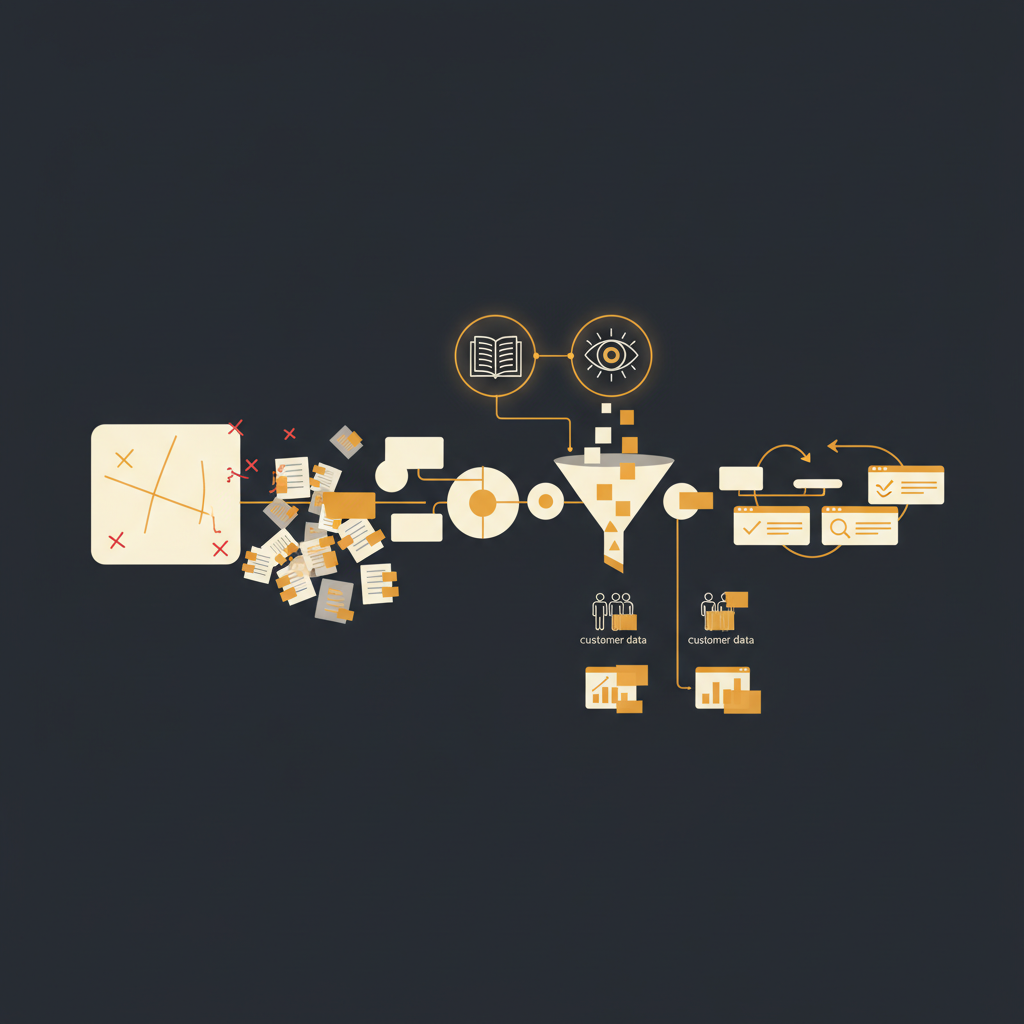
In any organization that values operational efficiency and secure knowledge transfer, the tension between transparency and data protection is constant. Teams need to share how processes work, document system configurations, and onboard new hires with practical examples. Yet, much of this essential information contains sensitive data, from customer PII to internal system credentials. The conventional solution, manual redaction, often fails to meet the demands of scale and security, creating more problems than it solves.
The Inevitable Failure of Manual Redaction at Scale
Consider the typical scenario: a subject matter expert records a walkthrough of a customer support workflow. This involves navigating a CRM, accessing customer profiles, and reviewing order histories. Each step of this process is rich with potentially sensitive information: customer names, email addresses, phone numbers, order IDs, and sometimes even partial payment details. If this recording is to be shared internally, every instance of such data must be obscured.
Manual redaction, whether through blurring tools or digital black markers, is fundamentally unsustainable for a number of reasons. First, the sheer volume of content quickly becomes overwhelming. A single 10-step process might expose dozens of distinct pieces of PII across multiple screens. Multiply this by hundreds or thousands of internal processes, and the time commitment for manual review and redaction becomes prohibitive. An operations team tasked with documenting 50 critical workflows might spend hundreds of hours annually just on manual redaction, diverting resources from more strategic work.
Second, human error is an undeniable factor. Even the most diligent reviewer will, occasionally, miss an instance of sensitive data. A small name in a header, a reference number in a console output, or a fleeting glimpse of an email address can easily slip past. This isn't a failure of effort; it is an inherent limitation of human attention span and consistency when faced with repetitive, detail-oriented tasks. One missed piece of PII can lead to compliance violations, reputational damage, or even a data breach.
Finally, manual redaction often creates a false sense of security. It looks like due diligence has been performed, but the underlying process is brittle and prone to failure. This 'security theater' gives stakeholders comfort without providing robust protection, leaving the organization exposed to risks it believes it has mitigated.
The Dual Approach: Dictionary and Vision Detectors
Effective automated redaction systems don't rely on a single mechanism. Instead, they employ a powerful combination of dictionary-based detection and computer vision analysis to identify and obscure sensitive information with high accuracy. This dual approach addresses the diverse ways sensitive data manifests in digital content.
Dictionary-based detection operates by scanning textual content for specific patterns and keywords. This relies heavily on regular expressions (regex) and natural language processing (NLP) to identify common PII formats. Examples include:
- Credit Card Numbers: Patterns matching 16-digit sequences, often combined with the Luhn algorithm for validation.
- Email Addresses: Standard
user@domain.comformats. - Phone Numbers: Various international and domestic formats.
- Social Security Numbers (SSN) or National Identifiers: Specific numerical patterns unique to different regions.
- IP Addresses: IPv4 and IPv6 formats.
This method is highly effective for structured data that is present as selectable text. If a customer's email address is copied directly from a database field into a document, a dictionary detector will almost certainly find it. However, its limitation lies in its inability to 'see' data that is embedded within images or displayed in a non-selectable user interface element.
This is where vision-based detection becomes indispensable. Leveraging Optical Character Recognition (OCR) and machine learning models, vision detectors analyze screenshots and video frames to identify text within images. Once text is extracted, machine learning algorithms are trained to recognize categories of sensitive information based on visual context, layout, and proximity to other keywords. For instance:
- Identifying a customer's name in the header of a CRM interface, even if it is part of a static image.
- Recognizing an account number in a screenshot of an invoice preview.
- Detecting an API key displayed in a terminal window or developer console.
The synergy between these two approaches is critical. Dictionary-based methods provide precision for structured, textual data, while vision-based methods provide comprehensive coverage for visually presented information. Together, they create a much more robust detection layer than either could achieve in isolation.
Practical Applications: Redacting Customer Data Examples
For operations, customer service, and engineering leaders, the implications of automated redaction are significant across various critical functions.
Customer Support and Success Walkthroughs
When documenting how to handle specific customer issues or navigate complex account configurations, support teams often record their screens. These recordings inevitably capture customer names, email addresses, order IDs, account numbers, and even payment details. An automated system can detect and redact:
- Customer names in Zendesk tickets or Salesforce Service Cloud records.
- Email addresses and phone numbers from communication logs.
- Order history details that might link to specific PII.
This allows for the creation of rich, visual training materials without the risk of exposing sensitive customer information to new hires or broader internal audiences, ensuring compliance with regulations like GDPR or CCPA.
Internal Tool and System Documentation
Documenting the use of proprietary internal tools often involves screenshots of dashboards, admin panels, or configuration screens. These can inadvertently display sensitive internal data such as:
- Employee IDs or names in HR systems.
- Project codes or financial figures in internal reporting tools.
- Proprietary business metrics that should not be widely distributed.
Automated redaction ensures that only the relevant, non-sensitive aspects of the UI are visible, protecting internal confidentiality while still facilitating knowledge sharing.
Engineering Debugging and Troubleshooting Guides
Engineers often create documentation for troubleshooting common issues, which may include snippets of logs, code, or command-line outputs. These can contain highly sensitive information:
Error: Failed to connect to DB_PROD_SERVER_01 at 192.168.1.100 using user 'admin_prod'.An automated system can be configured to redact specific server names, IP addresses, database credentials, or API keys that appear in these outputs, preventing the accidental exposure of critical infrastructure details or access credentials. This is particularly valuable for incident response playbooks or system architecture documentation.
The Automated Review and Feedback Loop
While automated redaction significantly reduces manual effort, it does not eliminate the need for human oversight entirely. Instead, it shifts the human role from tedious execution to strategic review and refinement. A robust automated redaction process incorporates a crucial feedback loop:
- Initial Automated Scan: The system processes the content (e.g., a screen recording) and automatically flags and redacts potential PII based on its dictionary and vision models.
- Human Review and Override: A subject matter expert (SME) or content owner reviews the system's redaction suggestions. They can confirm the redactions, correct any false positives (instances where non-sensitive data was incorrectly flagged), or add new redaction rules for unique, custom data types not initially caught by the system. For example, a custom internal customer ID format might need to be explicitly added to the redaction dictionary.
- Training and Continuous Improvement: Every human correction or addition feeds back into the system's learning models. Over time, the system becomes more accurate and intelligent, adapting to the specific data types and contexts prevalent within the organization. This iterative process is crucial for handling the evolving nature of internal data.
- Dynamic Updating and Re-redaction: A key advantage of modern platforms is their ability to detect changes in the underlying UI. If a documented workflow's interface changes, the system can automatically re-scan and re-redact the content based on its updated understanding of where sensitive data might now appear, saving immense manual effort in re-creating or re-redacting entire documents. This capability is a cornerstone of platforms like Tome Robot, ensuring documentation remains accurate and secure without constant manual intervention.
- Audit Trails: Comprehensive logging tracks who reviewed what, when, and what changes were made to redaction rules. This provides an essential audit trail for compliance and accountability.
Manual redaction of sensitive data is a losing battle in the face of ever-increasing content volume and evolving data privacy regulations. Relying on human diligence for such a critical, repetitive task is inefficient and introduces unacceptable risk. Automated redaction systems, combining pattern recognition with visual intelligence and supported by a continuous feedback loop, offer the only scalable and reliable path forward. They transform a reactive, error-prone chore into a proactive, secure, and efficient process, allowing organizations to share knowledge freely without compromising data integrity.
Stop writing docs nobody reads.
Record them instead.
Install the extension, walk through the tool you're tired of explaining. Tome Robot does the rest.